By The Papousek Team
A great home office isn’t just a desk in a spare room—it’s a thoughtfully designed space that helps you work efficiently, feel comfortable for long stretches, and stay visually calm (even on busy days). Whether you’re fully remote, hybrid, running a business from home, or simply want a dedicated zone for life admin, the right home office design blends function + aesthetics in a way that fits your home and your routines.
In today’s market, a well-executed home office can also be a quiet value booster. Buyers increasingly notice practical work-from-home features like built-in storage, strong lighting, and a layout that feels intentional. Here’s how to design a home office that looks polished, works hard, and still feels like part of your home—not a corporate cubicle.
Start with the purpose (before you buy anything)
Before you choose furniture or paint colours, define what the room needs to do. Ask yourself:
- Do you take video calls daily?
- Are you working with one monitor or two (or three)?
- Do you need space for paperwork, printing, or product inventory?
- Is this office shared with a partner or used as a guest room too?
- Do you need quiet for deep work, or is this more of a “task station”?
Your answers determine everything from desk size to lighting to storage needs. When the purpose is clear, the style decisions become much easier—and you’re less likely to buy items that look good but don’t actually serve you.
Choose the right location in your home
If you’re selecting a spot for an office (or converting an existing room), prioritize:
- Natural light (without direct glare on screens)
- Distance from high-traffic areas (kitchen, main hallway, TV room)
- Ability to close a door (ideal for calls, focus, and work-life boundaries)
- Proximity to a washroom (convenience matters more than people admit)
No dedicated room? You can still create an office that feels “real” by carving out a defined zone in a bedroom, loft, or finished basement. The key is making it look deliberate, not temporary.
Nail the layout: the “workflow triangle”
A functional office usually has three core zones:
- Work surface (desk + monitors)
- Storage (files, supplies, tech, personal items)
- Support space (printer, notepad area, reading chair, or whiteboard wall)
If you can move between these zones without weaving around furniture, you’ve likely created a layout that will feel effortless day-to-day. A common mistake is pushing everything to the perimeter and leaving the centre empty—sometimes floating the desk or angling it toward the room creates a more usable, balanced feel.
Pro tip for video calls
Place your desk so the camera faces a clean background (a wall, built-ins, art, or a tidy shelf), not an open doorway or cluttered space.
Invest in ergonomic essentials (that still look good)
Ergonomics doesn’t have to be ugly. The goal is comfort and posture support that blends with your home’s style.
Desk: size and surface matter
Choose a desk that fits your work style:
- Minimum comfortable width: enough for your monitor(s), keyboard, and a working notepad area
- Depth: deeper desks help avoid “screen too close” fatigue
- Cable management: built-in grommets or a concealed tray is a design upgrade and a sanity saver
Chair: worth the splurge
Your chair is the single most important item. Look for:
- Adjustable seat height and lumbar support
- Armrests that don’t force your shoulders upward
- A finish that matches your aesthetic (there are many modern, attractive ergonomic chairs now)
Monitor height + lighting
If you use a monitor, aim for the top third of the screen at eye level. A simple monitor riser can look sleek and reduce neck strain instantly.
Lighting: design-forward and task-ready
Most home offices fail on lighting. You want layers:
- Ambient light: ceiling fixture or well-placed floor lamp
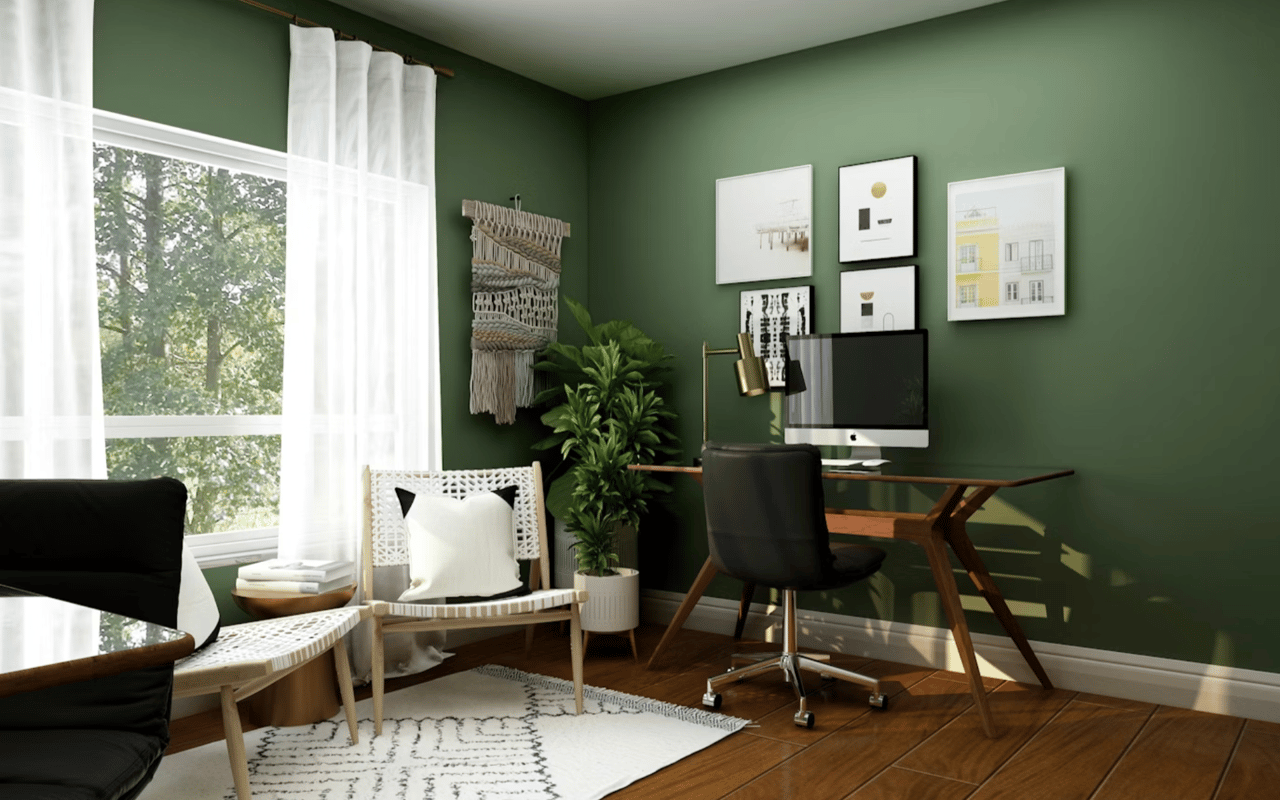
- Task light: a desk lamp with adjustable angle
- Accent light: a warm lamp or subtle LED strip for depth and mood
Choose warmer bulbs for a cozy feel, but keep your task lighting bright enough to reduce eye strain. If your office doubles as a guest room or reading space, dimmable lighting is a strong upgrade.
Storage that doesn’t feel like “office storage”
Clutter is the fastest way to make an office feel stressful. The solution isn’t just more storage—it’s the right storage.
- Closed storage (cabinets, drawers) hides visual mess and makes the room feel calm
- Open shelving is great for decor, books, and a curated look—but only if it stays tidy
- A filing system (even small) prevents paper piles from taking over
If you’re aiming for a high-end look, consider:
- Matching storage pieces (same wood tone or finish)
- Built-in cabinetry, especially in alcoves or under windows
- Floating shelves paired with closed lower cabinets for balance
Sound control: the underrated upgrade
If you take calls or need focus, sound matters as much as style.
Simple improvements:
- A large area rug (even over carpet) can soften echo
- Curtains add warmth and reduce sound bounce
- Upholstered seating absorbs noise and makes the room feel inviting
- A solid-core door (where practical) is a game-changer for privacy
In open-concept homes, a stylish room divider or bookcase can define the space and reduce distractions.
Make it cohesive with the rest of your home
The best home offices don’t look like a separate world. They feel connected to your home’s overall design language.
Here’s how:
- Repeat a key finish (wood tone, metal finish, or colour) found elsewhere in the home
- Use artwork that fits your style (not generic corporate prints unless that’s your look)
- Add textiles (rug, throw, curtains) to make it feel residential, not sterile
Style choices that also photograph well (and support resale)
If you’re thinking long-term value, lean into design moves that buyers love:
- Neutral, warm wall colours (or a tasteful accent wall)
- Built-ins or integrated storage
- A functional desk setup that clearly shows how the space works
- Clean cable management
- A layout that can also function as a nursery, study, or guest room
Even if you design the office for your current needs, keeping it flexible makes it appealing to future buyers.
Don’t forget the tech plan
Stylish offices can still look messy if tech is an afterthought. Plan for:
- Outlet placement (or discreet extension solutions)
- Router/mesh Wi-Fi coverage
- Cable routing (clips, trays, sleeves)
- A charging zone for phone, watch, and accessories
- A dedicated spot for printers and peripherals if needed
A well-managed tech setup is one of those “invisible luxuries” that makes the room feel instantly higher-end.
Quick checklist: a home office that works
- Desk sized for your actual workflow
- Ergonomic chair you can sit in for hours
- Layered lighting (ambient + task + accent)
- Closed storage for clutter + a simple filing system
- Strong video-call background and minimal glare
- Rug/textiles for comfort and sound
- Cable management plan
- A cohesive style that matches the rest of the home
Frequently Asked Questions (FAQ)
What’s the best place to put a desk in a home office?
Ideally, place it near natural light but not in direct glare. If you’re on video calls, position the desk so the camera faces a clean, intentional background (art, shelves, or a simple wall).
How do I make a small home office feel bigger?
Use lighter wall colours, add a mirror or art with depth, choose furniture with open legs, and prioritize closed storage to reduce visual clutter. Wall-mounted shelves can free up floor space.
What are the most important ergonomic upgrades?
A supportive chair, correct monitor height, and proper lighting make the biggest difference. If you can only upgrade one thing, start with the chair.
How can I make my home office look more stylish?
Choose a cohesive palette (2–3 colours), incorporate textures (rug, curtains), add art you actually like, and hide cables. A statement light fixture or a well-styled shelf instantly elevates the look.
Does a home office add value when selling a home?
A well-designed office can improve marketability, especially when it’s clearly functional and flexible. Buyers often respond to purposeful spaces with built-in storage, good lighting, and layouts that can adapt to different needs.
Ready to create a home office that adds value?
If you’re thinking about updating your home before selling—or you’re looking for a property in Mississauga with the right space for working from home—The Papousek Team can help you make smart, resale-conscious decisions. From identifying homes with ideal layouts to recommending improvements that strengthen market appeal, we’ll help you align your upgrades with your goals.
Reach out to The Papousek Team to discuss your next move and get expert guidance tailored to your home and your neighbourhood.